
Table of Contents
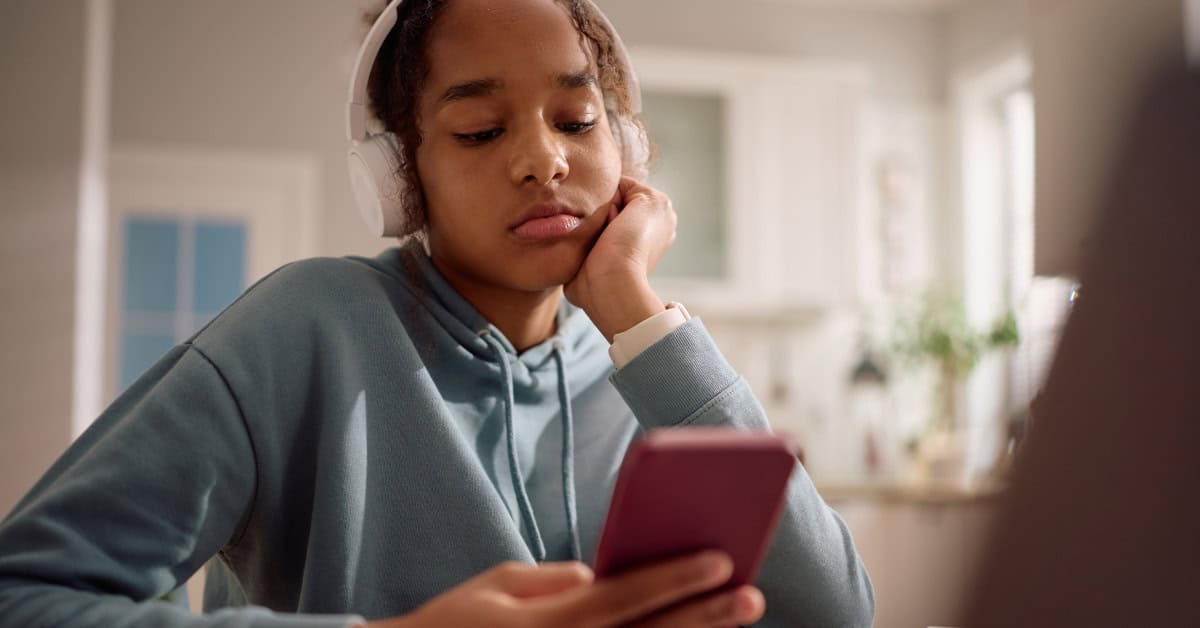
Likes, Shares, and Lies: Teaching Teens to Think Before They Click isn’t a cute digital citizenship slogan. Its a survival skill. If we don’t teach students to slow down before they tap that heart or repost button, were effectively training them to be unpaid amplifiers for propaganda, scams, and plain stupidity.
I’ve watched a room full of smart, high-achieving teens share a completely fabricated school-closure announcement on Instagram in under five minutes without a single one of them stopping to verify it. The post was a prank, but the panic was real. Parents were texting the office, teachers were fielding emails, and the principal was furious. The real problem wasn’t the prank; it was the reflex: see feel click share. No thinking in between.
This lesson exists to shove thinking back into that gap.
When we talk about likes, shares, and lies: teaching teens to think before they click, were really talking about power. Every student with a phone carries a printing press, a TV station, and a rumor mill in their pocket. They can destroy reputations, spread dangerous medical myths, or accidentally help scammers target their own friends. Pretending this is just social media stuff is educational malpractice.
This article walks you through a full, classroom-ready lesson plan plus the why behind it. I’m not interested in fluffy be kind online posters. I’m interested in giving students the tools to see through manipulation, resist peer pressure to share nonsense, and protect themselves and others.
Think Before You Click
Learn to teach teens to evaluate online content, protect their digital footprint, and use fact checking and media literacy skills before they like or share. – Recognize “likes, shares, and lies” by spotting fake news, bias, and unreliable sources through author checks, dates, evidence, and cross referencing reputable outlets. – Protect digital footprints and online privacy by adjusting settings, limiting personal data, and considering long term consequences before engaging. – Build media literacy and critical thinking with hands on fact checking steps verify claims, corroborate with trusted sources, and question emotional headlines.
About the Lesson
This lesson on likes, shares, and lies: teaching teens to think before they click is designed for middle and high school students (grades 612), but Ive successfully adapted it for upper elementary gifted groups and even parent workshops. The central idea is simple: every piece of online information demands a pause and a question, not a reflexive click.
In my own classroom, I first ran this as a 50-minute lesson crammed into a homeroom advisory period. It worked but barely. The conversations it sparked were so intense that we expanded it into a 2-part series the following semester. If you have the flexibility, aim for at least one full class period and ideally two. The emotional and intellectual payoff is worth flipping your schedule around.
The lesson is flexible enough to tie into:
- English/Language Arts (argument, rhetoric, informational texts)
- Social Studies (civics, democracy, propaganda)
- Technology/Computer Science (digital literacy, cybersecurity)
- Advisory or SEL programs (decision-making, empathy, self-control)
You can also pair it with broader units, like your schools digital literacy for students curriculum or community programs such as digital literacy schools community programs, to reinforce consistent messages across subjects.
Objectives
Lets be blunt: vague goals like students will be aware of online risks are useless. This lesson aims for specific, observable behaviors that change how students interact with their feeds.
By the end of the lesson, students should be able to:
- Explain what a digital footprint is and give at least three concrete examples of how a post or share can affect future opportunities (college, jobs, relationships).
- Identify and describe fake news tactics they see in sample posts (clickbait headlines, emotional language, missing attribution, manipulated images).
- Apply a simple media literacy checklist to any post before sharing (e.g., Who made this? Why? Whats missing? What evidence is there?).
- Articulate at least one personal thinking-before-clicking rule they commit to for their own online behavior.
- Recognize and explain bias in at least one example source, distinguishing between opinion and factual reporting.
- Use at least one fact-checking technique (reverse image search, cross-checking multiple outlets, or checking a known fact-checking site).
- Name at least three reputable sources in different categories (news, health, academic) and explain what makes them reliable.
These aren’t just academic outcomes. Ive watched kids refer back to our fact-check checklist while arguing with each other about a viral TikTok health hack. That is the behavior change were hunting for.
Insider Tip (from a media literacy coach): Don’t list these objectives on a slide and read them to students. Instead, turn them into challenges: – By the end of this class, I bet you’ll be able to spot fake news faster than your parents. – Your goal today: catch me spreading misinformation in one of the examples. I promise at least one of them is a trap.
Materials
You don’t need a fancy tech lab to teach this lesson, but you do need real examples and enough structure to keep students from wandering into internet chaos.
Core materials:
- Projector or screen (or printed handouts of screenshots if tech is limited)
- Sample social media posts (screenshots from Instagram, TikTok captions, X/Twitter threads, YouTube thumbnails) showing:
- Obvious fake news
- Misleading but plausible posts
- Reputable posts
- Whiteboard or large chart paper for vocabulary and checklists
- Sticky notes or index cards for quick-response activities
- Student devices (optional but powerful), ideally with safe search and filters
Optional but very useful:
- Access to a browser for live fact-checking and reverse image searches
- A short pre-made slideshow with key terms and example posts
- Exit ticket form (digital or paper) asking: Describe one change you’ll make in how you click or share after today.
Students who don’t have phones can still engage fully with projected examples and group work. In one rural district with tight device restrictions, we ran the entire lesson with printed screenshots taped around the room and it was arguably more effective because students were physically up and moving.
Insider Tip: Use hyper-local or school-related examples whenever possible. When I used a fake snow day tweet that a senior had made last year, the room went dead silent and then exploded with, Ohhh I remember that! Suddenly, we weren’t talking about abstract misinformation; we were talking about them.
Preparation
This is not a grab a worksheet five minutes before class type of lesson. If you wing it, students will sniff out your lack of prep and tune out. To make this stick, prep matters.
- Curate examples carefully.
Spend time capturing screenshots that reflect platforms your students actually use. Middle schoolers might be big on YouTube and TikTok; high schoolers might be heavier on Instagram, Snapchat, and Discord. Avoid exposing them to fresh harmful content; instead, use archived or controlled examples. - Remove personally identifiable information. Blur usernames, profile pictures, and comments unless youre using public figures or major news outlets. Never show a students real account, even as a positive example. That road leads straight to humiliation and resentment.
- Choose one hot topic and one neutral topic. For example, a controversial political post and a silly celebrity rumor. This balance lets you show how misinformation works both in high-stakes and low-stakes contexts.
- Review your schools tech and privacy policies. If your school already has guidelines that connect to online safety and sextortion prevention, reinforce them, don’t contradict them. Coordinate with your administration if you plan to mention topics like sextortion awareness for parents or financial sextortion teens guide.
- Plan your discussion boundaries. Things will get real. Students might reveal they’ve been catfished, doxxed, or manipulated, or bring up dark topics like sextortion targeting boys. Know ahead of time when to empathize, when to redirect, and when to refer to a counselor.
Insider Tip (from a high school principal): Run your sample posts by at least one colleague beforehand. We once used what we thought was a harmless meme, only to learn it was tied to a local bullying incident.
Vocabulary
Don’t underestimate vocabulary. Teens swim in these concepts but rarely have precise language for them. Giving them the right words is like handing them tools instead of letting them punch the problem with their bare hands.
Key terms to pre-teach or introduce as you go:
- Digital Footprint The trail of data you leave online: posts, comments, likes, shares, search history. Even deleted things can be saved, screenshot, or archived.
- Fake News Intentionally false or misleading information presented as news, usually created to influence opinions or make money from clicks.
- Media Literacy The ability to access, analyze, evaluate, create, and act on information in all forms of media.
- Critical Thinking The process of objectively analyzing and evaluating an issue in order to form a reasoned judgment.
- Bias A preference or prejudice for or against something, often in a way that prevents fair judgment.
- Fact-Checking Verifying information by comparing it with credible, independent sources.
- Reputable Sources Sources known for accuracy, transparency, and accountability, such as established news organizations, peer-reviewed journals, and official institutions.
- Online Privacy The right and ability to control what personal information is shared, with whom, and how its used.
Insider Tip: Have students create their own teen-friendly definitions. When one of my classes rewrote bias as the filter your brain secretly uses before you even realize it, I stole that and used it all year.
Lesson Steps
Step 1: Introduce the topic of online information.
Skip the Today were going to learn about routine. Go straight for their lived reality. I like to start with a simple show-of-hands poll:
- How many of you checked your phone within 10 minutes of waking up this morning?
- How many of you saw something online today that made you feel angry, scared, or shocked?
- How many of you shared something online this week anything at all?
Then I hit them with a screenshot of a viral fake post bonus points if its local or recently debunked. Without giving context, I ask: Would you share this? Why or why not? I make them commit with a quick anonymous sticky note or digital poll. Only then do I reveal it was false or malicious.
According to recent research from Stanfords History Education Group, over 80% of middle school students they studied couldn’t distinguish between sponsored content and real news. In my own informal classroom polls, usually more than half of students admit they’ve shared something online without reading beyond the headline. That’s the moment to frame the lesson:
This class is not about getting you off your phones. Its about making you more powerful than the algorithms that want you to click before you think.
Insider Tip: Avoid starting with You all share too much online. Teens are instantly defensive. Start with, The smartest adults fall for this stuff too. Lets see if we can beat them at their own game.
Step 2: Discuss the concept of digital footprint.
I tell students the story of a former student of mine lets call him Marcus who almost lost a scholarship because of a meme he’d posted in 9th grade. A college admissions officer found it, misinterpreted it, and flagged his application. He had to write a detailed explanation and get a counselors letter to clear it up. He didn’t even remember posting it. His digital footprint remembered for him.
Then I draw two footprints on the board: one labeled What I Meant and one labeled What Stays. Students brainstorm what goes in each. They quickly realize those categories don’t always match. Even platforms that claim posts disappear can be screen-recorded, archived, or used for targeted ads.
I often connect this piece to school policies and broader issues covered in sessions like navigating social media with students. When students understand that companies build massive profiles on them using every heart, search, pause, and share, they start to bring up online privacy, data harvesting, and targeted ads long before I do.
To cement it, I have them create a Future You slide or index card. They draw or describe themselves at 25job, goals, lifestyle and then list three posts that Future Them would be proud to have on their record, and three that could completely wreck things.
Insider Tip: Don’t focus only on punishment (You’ll never get a job!). Emphasize opportunity: You can deliberately build a digital footprint that proves you’re responsible, creative, and thoughtful.
Step 3: Discuss the concept of fake news.
This is where you shift from your data to the information coming at you. I start by asking: What do you think fake news means? Students will mention satire, lies, and clickbait. I push them to distinguish between:
- Honest mistakes
- Biased reporting
- Satire and parody
- Deliberate misinformation and disinformation
We then examine 34 sample posts:
- An obviously fake celebrity death hoax
- A heavily biased news meme that misquotes a politician or public figure
- A satirical headline from a site like The Onion (with the label removed)
- A real article with an accurate but emotionally provocative headline
In groups, students mark each as true, false, satire, or misleading, and justify their choice. When we reveal the answers, they’re usually surprised at how often they misclassify satire as truth or don’t spot misleading framing.
I bring in stats from studies like Pew Research Centers work showing that a majority of adults feel confused about whats real online. The point: if adults with fully developed brains and decades of experience are getting fooled, of course teens do too but that’s not an excuse to give up.
Insider Tip: Don’t demonize specific political sides in this discussion. Show fake or misleading examples from across the spectrum. The goal is to teach students that everyone can be manipulated, not that one team is always the liar.
Step 4: Discuss the concept of media literacy.
Now we zoom out. I define media literacy as not just spotting fake stuff, but understanding how and why media is trying to shape your thinking, your emotions, and your choices. I share a quick story about getting sucked into a late-night YouTube rabbit hole of recommended videos and realizing half of them contradicted each other but the algorithm kept feeding me whatever made me watch longer.
Students love dissecting how platforms grab their attention: auto play, infinite scroll, notifications, streaks, and For You pages. This is a perfect moment to connect to broader technology themes, like the kind covered in an AI in education guide for parents and students: machines are constantly predicting what will keep us engaged, not what is true or healthy.
Together we build a simple Media Literacy Checklist on the board:
- Who created this?
- What do they want me to think, feel, or do?
- What information is missing?
- What techniques are they using to get my attention?
- Who benefits if I believe this?
Students then apply this checklist to one of our earlier fake news examples. Suddenly, instead of saying This is dumb, they’re saying, Oh, they used an all-caps headline to make it urgent or They only showed one side of the story.
Insider Tip: Have students apply the checklist to ads and influencer content, not just news. They’re often more skeptical of a politician than they are of a relatable TikToker pushing a supplement.
Step 5: Discuss the concept of critical thinking.
This is where we bring the lesson title fully to life: thinking before clicking. I tell them plainly: Critical thinking is not about being negative. Its about not letting other people do your thinking for you.
We walk through a simple process:
- Pause Don’t click, don’t share, don’t comment yet.
- Question What do I know? How do I know it?
- Check What do reputable sources say?
- Decide Based on evidence, not emotion.
To make it personal, I ask: When was the last time you reacted to something online and later realized you misunderstood it? Students share mini-stories arguments in group chats, misinterpreted jokes, emotional rants about out-of-context clips. I share my own embarrassing example of angrily sharing a misleading headline years ago before reading the full article. Its important that they see adults screw this up too.
Then, in pairs, students create their own Think-Before-You-Click Rules like:
- If it makes me furious in under 5 seconds, I will always check another source.
- If I wouldn’t say it to someones face, I wont post it in a comment.
- If it sounds too good or too bad to be true, Ill look it up.
Insider Tip: Challenge students to adopt one rule for a week and report back. Turning it into a personal experiment makes the idea stick more than a one-off class.
Step 6: Discuss the concept of bias.
Bias is one of the trickiest concepts for students and adults to swallow. I start with the non-political: sports. If a referee makes a borderline call against your favorite team, how do you react? We talk about how loyalty and previous beliefs color our interpretation of events.
Then I show two different headlines about the same event from different outlets. Without naming the sources first, we analyze word choice. One might describe a protest as a violent mob while another calls it a crowd of demonstrators. Same event, different lens. That’s bias.
Were not trying to convince students that everyone is lying, but that everyone has a perspective. Even algorithms have bias because they are trained on data from a biased world. Connecting this to other serious harms like the ways bias can intersect with online exploitation, harassment, or even sextortion awareness online safety helps them see bias as an ethical, not just academic, issue.
Insider Tip: Have students identify a bias they hold (I think all influencers are fake, I distrust big companies) and discuss how that might affect what they believe online. Its uncomfortable but incredibly powerful.
Step 7: Discuss the concept of fact-checking.
At this point, students are often fired up but asking, Okay, but how do we actually check this stuff? That’s the sweet spot. Now you teach them tools.
I demonstrate:
- Lateral reading: opening new tabs to see what other outlets say about the same claim.
- Reverse image search: using a search engine to see where an image has appeared before.
- Fact-checking sites: places like Snopes or PolitiFact that specialize in investigating viral rumors.
According to research from the Stanford History Education Group, expert fact-checkers read laterally instead of staying on one site. I let students play Misinformation Detectives, giving each group a dubious claim and a few minutes to find out whether its true.
Some groups get frustrated: This is taking too long. That’s the teachable moment. I tell them, Exactly. That’s why misinformation wins its easy to share and hard to verify. The point isn’t to fact-check everything; its to build a habit of checking things that matter.
Insider Tip: Model your thinking out loud as you fact-check a claim live. Narrate your doubts, your search terms, and when you decide you don’t have enough information. Students learn as much from your uncertainty as from your answers.
Step 8: Discuss the concept of reputable sources.
At this stage, students often ask, So who can we trust? The honest answer is: no source is perfect, but some are much more reliable than others.
We brainstorm categories:
- News Established outlets with editorial standards and corrections policies
- Health Government health agencies, major hospitals, medical associations
- Academics Universities, peer-reviewed journals, expert organizations
I bring up a wildly popular health tip TikTok and ask: If you wanted to know if this is safe, who would you check with? Students gradually shift from my favorite YouTuber to maybe a doctor or a reliable health site. This is where linking discussions to resources like sextortion awareness parents guide or sextortion awareness for parents is invaluable when its about serious risks, you need verified, authoritative sources.
We then co-create a class list called Trusted Starting Places, including local news outlets, official school district pages, and national sources. I always emphasize that even reputable sources can make mistakes but they correct them and are transparent.
Insider Tip: Have students research one reputable source and present what they find about its history, funding, and correction policies. Its eye-opening for them to see how complex trust really is.
Step 9: Discuss the concept of online privacy.
We close the content-heavy part of the lesson by looping back to privacy because everything we’ve discussed (fake news, bias, algorithms) is fueled by personal data. I ask students: If a stranger on the street asked you for your full name, school, friends names, and favorite hobbies, would you tell them? They laugh and say no. Then we list how many apps already have that information by default.
We connect this to more serious online risks, including issues explored in resources like sextortion awareness for parents and sextortion awareness online safety. Teens need to understand that bad actors often use the illusion of privacy disappearing messages, closed DMs, private stories to groom, manipulate, and shame them.
I don’t use scare tactics, but I do use concrete examples: screenshots used for blackmail, private posts forwarded to entire grade levels, location tags enabling stalkers. Students are often stunned to realize how many apps track their location by default.
We end with a rapid Privacy Tune-Up checklist:
- Check privacy settings on one app.
- Turn off location sharing you don’t really need.
- Remove or hide your school name and hometown from public profiles.
- Be suspicious of anyone pushing you to move conversations to encrypted or disappearing platforms.
Insider Tip: Frame privacy not as hiding things but as choosing your audience. Teens care deeply about controlling who sees what they just need better tools and language to do it.
More from this Author
If this lesson resonated with you, you’re probably already convinced that just telling kids to be careful online isn’t enough. My work on TRS Warriors focuses on treating students as emerging citizens, not passive users equipping them to challenge algorithms, marketers, and manipulators with informed skepticism.
You’ll find more from me on:
- Designing full-year digital literacy sequences that go far beyond a one-week unit
- Building student-led campaigns on online respect, consent, and safety
- Working with parents who are overwhelmed by rapidly shifting risks from misinformation to sextortion awareness parents guide topics they never faced themselves
- Helping teachers integrate online reasoning into every subject, not just tech class
At the end of the day, likes, shares, and lies: teaching teens to think before they click is not a cute, optional extra for the weeks after standardized testing. Its part of the core mission of education in a networked world. If we graduate students who can graph a parabola but cant recognize when they’re being manipulated by a viral post, we’ve failed them where it matters most.
This lesson is one blueprint for refusing that failure. Use it, adapt it, argue with it but whatever you do, stop watching your students scroll in silence and start teaching them to ask, every single time:
Who wants me to click this and why?
FAQs
Q.Who should teach teens about evaluating online content and why?
A.Parents, teachers, and librarians should collaborate to teach teens how to evaluate online content because each brings unique expertise and trusted influence.
Q.What core skills help teens spot misinformation before sharing?
A.Critical thinking, source verification, lateral reading, and pause-before-sharing habits help teens recognize misinformation before they share it.
Q.How can teachers make lessons engaging about thinking before clicking?
A.Teachers can use current examples, interactive fact-checking tasks, gamified activities, and reflective discussion to make lessons engaging and memorable.
Q.Won’t teens ignore media literacy lessons when overwhelmed online?
A.No; when lessons are brief, relevant to their online habits, and offer practical strategies, teens are more likely to pay attention and apply what they learn.
Q.How can parents guide teens’ social sharing without being overbearing?
A.Parents can model good sharing behavior, set clear guidelines, and have open conversations that encourage teens to think for themselves rather than simply imposing rules.
Q.What assessments measure teens’ digital judgment and progress?
A.Authentic assessments like portfolios, scenario-based tasks, and reflective journals can demonstrate how well teens apply digital judgment in realistic situations.