Location sharing is sold to us as convenience and safety, but let’s be blunt: it’s also one of the cleanest, most powerful ways to track you in real time. When your phone is quietly broadcasting your location, you’re not just sharing a dot on a map — you’re leaking where you sleep, who you see, what protests you attend, and which clinic or counselor you visit. If you don’t decide who can see where you are, someone else already has.
This isn’t an anti-technology argument; location sharing is genuinely useful every day. But people get burned by it too — kids tracked by controlling parents, partners stalked by exes, employees shadowed on their own time. Once you understand how location sharing works and who can see your data, you stop asking “Should I care?” and start asking “Why didn’t anyone tell me this sooner?”
This article walks through the reality of location sharing with specifics, not vague warnings: how phones track you, what apps really do with your location, when law enforcement can step in, and how to take back control without throwing your phone in a lake.
Location Sharing Overview
Learn who can see where you are, how sharing works, and simple steps to control or stop it.
- Who can see you: people you authorize (family/friends), the apps and services you use (Apple, Google Maps, Snapchat, Life360), and sometimes law enforcement or third parties with legal access.
- How to control or stop it: use device/app settings to revoke permissions, stop or limit sharing, turn off location services, or remove accounts to end sharing.
- Safety quick facts: it’s useful but risky — share only with trusted contacts, use temporary sharing, audit app permissions regularly, and remember companies or police can obtain location data legally.
Key Takeaways
Location sharing is not just Find My iPhone. It includes GPS, Wi-Fi, Bluetooth beacons, mobile data, and even metadata from photos and files you share. Many groups can see your location: family and friends, app companies, third-party data brokers, and in many cases, law enforcement and advertisers. The biggest risk isn’t just strangers — it’s people you already know (partners, parents, bosses, friends) misusing access they’ve been given or secretly enabled. You can sharply limit who sees you using built-in controls on Apple devices, Google Maps, Snapchat, and Life360, but you have to be deliberate and check settings regularly. Location sharing can be useful and even lifesaving, but it’s only as safe as the boundaries you set — and your willingness to say no when someone demands always-on tracking.
What Is Location Sharing?
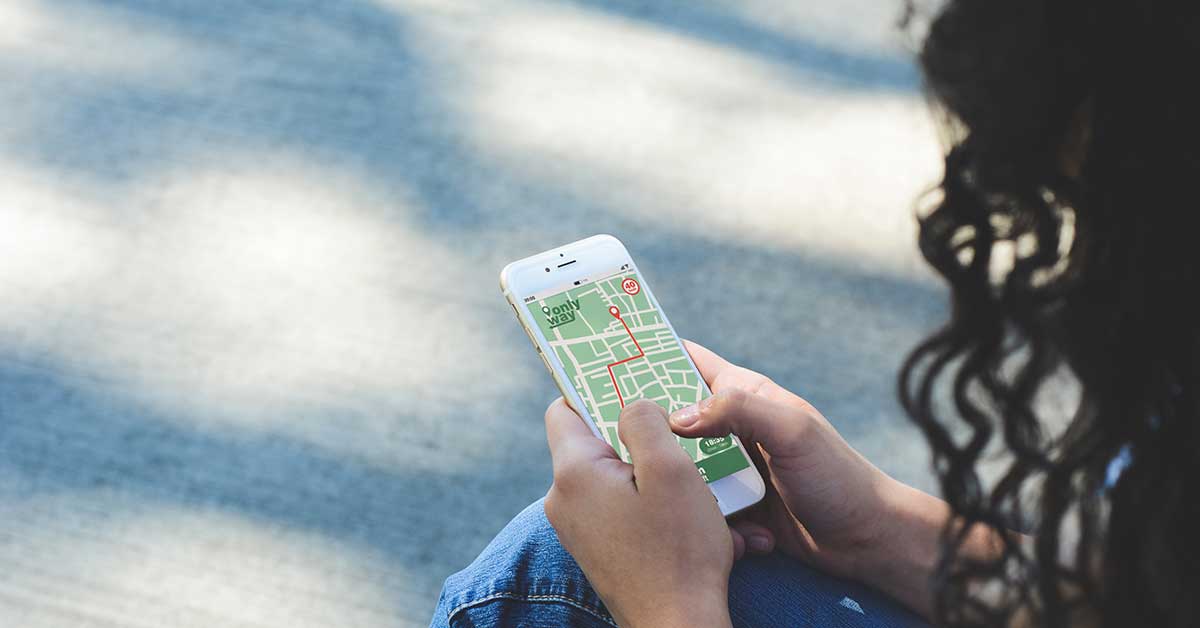
Location sharing is when your device lets an app, service, or person see your physical location in real time or over time. That sounds straightforward, but in practice it’s a messy ecosystem of permissions, sensor data, and digital footprints that most people never read, much less understand.
At its simplest, location sharing is opening an app like Google Maps, tapping “Share location,” and sending a live pin to a friend. But that’s the visible tip of the iceberg. Underneath are constant background pings to advertising networks, analytics feeds, and cloud services. According to a 2023 report by the Norwegian Consumer Council, popular apps constantly share location and other data with dozens of third parties, even when users think they’ve opted out.
Consider how often stalking cases turn out to hinge on this: someone convinced their ex has “hacked” their phone because he keeps turning up at the grocery store, the gym, and outside a new apartment — when in reality, an innocuous-looking “safety” app installed months earlier was still feeding a web dashboard he never stopped checking. Location sharing isn’t just a technical feature; it’s a relationship feature, sitting at the intersection of trust, power, and privacy. Whether it keeps you safer or more vulnerable depends entirely on who can see your location and under what rules.
Insider Tip: Any time someone frames constant location sharing as “proof of love” or “just to keep you safe,” treat that as a negotiation about control — not a default you have to accept.
How Location Sharing Works
Your phone is a sensor machine. When you share your location, you’re usually sharing a blended estimate from several sources: GPS (satellites, often accurate within a few meters); cell towers (your phone constantly talks to nearby towers, giving a rough position); Wi-Fi networks (even unconnected, your phone sees nearby networks, and companies map those networks to locations); and Bluetooth beacons (stores and venues detect nearby phones to infer indoor location where GPS is weak).
Apps tap this through your device’s location-services API. When you grant “Allow location access,” you give that app the right to request and store this blended location — and on many devices, to request it in the background long after you’ve closed the app. According to research by de Montjoye and colleagues (Scientific Reports, 2013), just four location data points in a large dataset can uniquely identify 95% of individuals. So “anonymous” location data isn’t really anonymous: if a company or government sees where you sleep, work, and shop over a week, they almost certainly know who you are.
Technically, location sharing falls into a few buckets: direct sharing with individuals (a live location sent via Find My or Google Maps); persistent family-tracking apps (Life360, Find My Kids, running constantly and logging every trip); background app tracking (weather, rideshare, food delivery, dating, and social apps quietly collecting location); and data-broker aggregation (apps selling or passing data to brokers who build detailed movement profiles).
Insider Tip: Think of every app with location access as a potential GPS tracker with a share button you don’t control. If it doesn’t absolutely need to know where you are, revoke the permission.
Who Can See Your Location?
Once you switch on location sharing — or never switch it off — your location can end up in more hands than you realize.
Family and Friends
This is the use case Big Tech loves to advertise: parents keeping kids safe, friends meeting up, partners checking in. It can be genuinely useful — sharing your location with one close friend while traveling means that if you go quiet, they can see you’re still at the airport, not in a ditch. But the “family and friends” label hides a darker side. In digital-safety work, location sharing is consistently weaponized in controlling relationships: a partner demands always-on sharing as a “trust exercise,” a parent tracks an 18-year-old’s every move, a friend group uses live location as pressure (“Why didn’t you come? We saw you were home”).
The core problem is that relationships are dynamic but the access is static. You might break up with someone and forget they still have you on Find My — survivors of abuse sometimes discover years later that an ex could still see their hometown, workplace, and even a new partner’s address because sharing was never revoked. Teens describe Life360 as “the ankle monitor my parents installed themselves,” and that’s not being dramatic: if you’re forced to explain every detour, every 10-minute stop, every turn off the expected route, that’s not safety — it’s surveillance dressed up in family branding.
Insider Tip: Healthy families use location sharing as a backup tool, not a 24/7 scoreboard. If a teen is never allowed to turn it off or negotiate boundaries, that’s not about trust — it’s about control.
Apps and Services
If you only think about people you know, you’re missing the biggest players: the app ecosystem and the data economy behind it.
- Navigation and rideshare (Google Maps, Waze, Uber, Lyft) log your trips to improve routing, estimate arrival times, and fight fraud. Those histories often persist for months or years unless you delete them.
- Social media (Snapchat, Instagram, Facebook) can infer where you are from check-ins, tagged locations, nearby Wi-Fi, Bluetooth, and photo metadata. Snapchat’s Snap Map is built explicitly around location visibility.
- Shopping and coupon apps track where and how often you shop; according to a 2021 FTC staff report, some then sell this data to brokers.
- Free utilities (flashlight, weather, wallpaper apps) have historically been notorious for over-collecting precise location and monetizing it through third parties.
Behind the scenes are data brokers, whose entire business is buying, aggregating, and selling your data. They combine location datasets from multiple apps with advertising IDs and sell insights like “frequent church attendees,” “visitors to a specific clinic,” or “people who work at these coordinates.” According to a 2022 U.S. Government Accountability Office report, some brokers were found selling data tied to visits to sensitive locations like reproductive-health clinics and places of worship. The detail is staggering — location-analytics firms can filter down to something like “women aged 25–35 who go from this bar to this neighborhood after 11pm on weekends,” and that granularity exists only because dozens of apps each chipped in your location.
Insider Tip: If an app is free and wants your precise location “to improve your experience,” assume they’re at least considering selling or sharing that data. Treat the request like a financial transaction, because it is.
Law Enforcement
Law-enforcement access to location data is complicated and often misunderstood. Police usually can’t just log into your phone and watch you move (despite what TV suggests), but they can request and purchase a lot of location information from companies that already collect it. Three big channels:
- Cell-site location information (CSLI): your carrier logs which towers your phone connects to. In the U.S., the Supreme Court ruled in Carpenter v. United States (2018) that police generally need a warrant to access historical CSLI, because it reveals an intimate portrait of your life.
- App and platform data: companies like Google, Apple, and Meta maintain detailed location logs. Police use warrants, subpoenas, and geofence warrants to request data about everyone in a given area at a given time; Google’s own transparency reports show geofence requests rising dramatically in the late 2010s, raising serious civil-liberties concerns.
- Purchased data: some agencies sidestep warrants by simply buying commercial location datasets from brokers. A 2021 Wall Street Journal investigation detailed how government agencies bought access to location data harvested from ordinary apps.
In places with weaker legal protections, or during emergencies, this access can expand quickly — location data was used heavily in some regions during COVID-19 to enforce quarantines, sometimes with little transparency. What starts as public health or public safety can become generalized surveillance if not carefully constrained. Most people never read the court cases, never see the warrants, and never know their weather-app data might have been resold and used to build a pattern-of-life timeline.
Insider Tip: You don’t get to vote on whether your city uses geofence warrants — but you do get to influence how much data about you exists in the first place.
How to Control Who Sees Your Location
The question isn’t “Should I use location sharing?” It’s “How do I use it on my terms?” The major platforms give you tools, but they’re buried, confusing, or nudged toward “on.”
Apple Devices
Apple markets itself as privacy-friendly and has earned some of that reputation, but your iPhone can still broadcast a lot unless you tune it.
- Trim location permissions: go to Settings > Privacy & Security > Location Services and review each app. For most, set to “While Using the App” or “Never,” and turn off “Precise Location” for apps that don’t need exact coordinates (like a news app).
- Tighten Find My sharing: open Find My, tap “People,” and review everyone who can see you. Remove anyone you no longer fully trust or need to share with. In a sensitive situation (ending a relationship, leaving a controlling household), consider turning off “Share My Location” entirely under Settings > [Your Name] > Find My before making any big moves — survivors often go silent when they open that screen and see a name they thought was long gone.
Insider Tip: On iOS, the biggest wins come from turning “Always” into “While Using” and doing an annual audit of who’s in your Find My list. Set a recurring calendar reminder.
Google Maps
Google Maps is phenomenal at navigation, but that excellence runs on vast data collection. You can blunt some of it without losing every benefit.
- Limit your Timeline (formerly Location History): as of late 2024, Google renamed Location History to “Timeline,” moved it to on-device storage, discontinued the web version, and made it off by default. Open Google Maps, tap your profile icon > “Your Timeline” to check whether it’s on, and if it is, set auto-delete to 3 months rather than keeping years of history.
- Control real-time sharing: in Google Maps, tap your profile > “Location sharing,” review everyone you’re sharing with, and stop sharing with anyone who no longer needs it — or switch “Until you turn this off” to a limited window (1 hour, 1 day). Prefer time-limited sharing over perpetual access.
For Android users, also go to Settings > Location and review which system services and Google features have location access — this isn’t just about Maps; it’s the whole Google ecosystem.
Insider Tip: If you’re wary of Google but rely on Maps, use location sharing like a walkie-talkie: on only when you’re actively using it, off when you’re not.
Snapchat
Snap Map is one of the most quietly invasive social features around. It feels casual — just Bitmoji on a map — but it normalizes constant location awareness among peers.
- Lock down Snap Map: open Snapchat, pinch the screen to open Snap Map, tap the settings gear, and turn on “Ghost Mode” to stop sharing with anyone. If you must share, choose “Select Friends” (not “My Friends”) and keep that list very tight.
Critically, Snap Map updates your location whenever the app is open, not just when you post. That’s what lets classmates weaponize it — “we see you’re home on Snap Map, why are you ignoring us?” That’s not community; it’s ambient coercion.
Insider Tip: Frame Ghost Mode not as “hiding” but as putting your social life on airplane mode when you need downtime. You have the right to go off-grid socially for a bit.
Life360
Life360 and similar family-safety apps are built around 24/7 tracking: drive logs, crash detection, arrival alerts, detailed histories. In the right context that helps; in the wrong context it’s a surveillance system in your pocket.
If you’re setting it up (parent/guardian): use it transparently and agree with your kid on when it’s reasonable to check and when it’s not; turn off or minimize location history and driving scores if they aren’t necessary; and avoid using it as a punishment tool (“I see you stopped here — explain yourself”), which teaches secrecy, not safety.
If you’re being tracked through Life360: you usually can’t quietly disable it without being noticed, since many features alert the circle owner when location is turned off. Focus instead on negotiating boundaries if that’s safe, or quietly planning a longer-term strategy if it isn’t; privacy-aware organizations and hotlines can help. If you’re in immediate danger or planning to leave a dangerous situation, consider a separate, clean device rather than trying to secretly modify Life360 on the monitored phone.
Insider Tip: In unsafe relationships, the goal often isn’t “turn tracking off now.” It’s changing the context so the tracking device isn’t on you when it matters most — which might mean a second phone, not a settings tweak.
How to Stop Location Sharing
Sometimes the healthiest move is to stop location sharing, at least temporarily. A practical checklist:
- System-wide kill switch (Apple): Settings > Privacy & Security > Location Services, toggle off. This breaks navigation, some emergency features, and location-based apps until you turn it back on.
- System-wide controls (Android): Settings > Location, turn the main toggle off, and check advanced options for Google Location Accuracy to turn off high-accuracy modes.
- Turn off ad tracking and “improvements”: on both iOS and Android, look for “Improve location services,” “Location accuracy,” and “Ads personalization,” and disable where possible.
- Audit and uninstall: don’t just revoke permissions — uninstall apps that demand location for no good reason, and replace hyper-tracking tools (like always-on family trackers) with lighter tools or explicit communication agreements.
- Airplane mode + power off: in high-risk situations (attending a protest, leaving an abusive partner), consider leaving your primary phone at home, powering it off, or using a secondary device.
Stopping location sharing doesn’t mean becoming unreachable. It means you decide when someone needs to know exactly where you are — and when they don’t.
Is Location Sharing Safe?
Location sharing can absolutely be part of a safety plan — helping people get home after nights out, reassuring worried friends during a crisis, and letting outdoor enthusiasts be found quickly after accidents. Emergency services increasingly rely on accurate location to respond faster. But “safe” isn’t a default status; it’s a conditional one.
It’s conditionally safe when you trust the people you share with and can change your mind anytime; you understand which apps access location and why; you routinely prune old permissions and connections; and you can go dark without retaliation. It’s unsafe when someone uses location to monitor, control, or punish you; when showing up somewhere (clinic, protest, support group) could be used against you; when you don’t know which apps are sharing your location or who they’re selling it to; or when turning off sharing could expose you to harm from someone close to you.
From a data-security angle, more location sharing means more data that can be breached. Every few months, a company leaks or mishandles location data, and according to research presented at the 2022 IEEE Symposium on Security and Privacy, many “anonymous” location datasets can be easily re-identified, especially for people with unusual travel patterns.
Insider Tip: When something goes wrong — stalking, harassment, a data leak — people are always shocked at how detailed the location trail is. The best time to trim that trail is before there’s a problem, not after.
The Bottom Line
Location sharing isn’t inherently good or bad — it’s a force multiplier that amplifies the environment and relationships you’re already in. In a context of trust and mutual respect, it reduces anxiety, helps you coordinate, and can occasionally save your life. In a context of control, exploitation, or careless data practices, it becomes a quiet, relentless surveillance system.
If you remember nothing else, remember this: the most dangerous location sharing is the kind you forget you turned on. The ex who still has you in Find My. The free app you downloaded once that’s still logging your movements. The social platform that switched on a “share with friends” feature by default.
You don’t have to be a technical expert to reclaim control: audit your apps and sharing connections twice a year; say no to location permissions that don’t make sense; use time-limited sharing instead of permanent whenever possible; and treat demands for always-on tracking as a relationship red flag, not a sign of love. If location sharing feels like a trap rather than a choice, you don’t have to navigate it alone — reach out to trusted friends, local advocacy organizations, or digital-safety groups.
Your phone will keep asking “Allow Location Access?” The real question is: on whose terms?