QR code safety isn’t optional anymore — it’s basic digital survival. The little black-and-white squares that once felt like futuristic convenience have quietly become one of the laziest, most effective tools in a cybercriminal’s playbook. We helped them get there: we scan codes without thinking — at restaurants, on parking meters, on posters, in emails — because the friction is gone. No typing, no checking, just tap and go. That “just tap and go” mindset is exactly what attackers are betting on.
Plenty of people assume the worst a QR code can do is pull up a bad restaurant menu. In reality, codes have sent users to fake payment portals, credential-harvesting login pages, and malware downloads — and someone can lose their primary email just by scanning a “delivery issue” code while standing in line. QR codes themselves are neutral, but the way we use them is reckless. If you don’t slow down, verify, and build a couple of simple habits, you’re the low-hanging fruit. This article is about making you less tasty.
QR Code Safety
You’ll learn to identify safe QR codes, scan smart, and recover if something goes wrong.
- A QR code is a scannable barcode that opens URLs or actions, so treat unknown codes as potentially risky and verify the destination before proceeding.
- Scan smart: preview and verify the URL, look for tampering, avoid codes from strangers or odd locations, use a trusted scanner app, and keep your device updated.
- If you scan a malicious code: close the page, disconnect if needed, run a security scan, change any exposed credentials, and report or block the source.
What is a QR code?
A QR code (Quick Response code) is basically a visual hyperlink. Instead of clicking an underlined word, you point your camera at a square of patterns and your device decodes it into data — usually a URL, but sometimes a phone number, Wi-Fi settings, payment info, or text. Invented by Denso Wave in 1994 to track car parts, QR codes were designed to be fast, error-tolerant, and readable from many angles — the same features that make them great for logistics and attractive to scammers.
That built-in error correction is handy on a greasy menu, but it also means a criminal can slap a sticker over an existing code and your phone will happily decode the attacker’s version. Most camera apps decode automatically and silently until the preview link pops up — and that convenience layer is the risky part, not the squares themselves.
From a security standpoint, the key fact is that a QR code is opaque to humans. You can’t read where it goes with your eyes; you have to trust whatever the phone says. The same pattern that opens your kid’s school lunch menu can, with zero visual difference, redirect to a credential-stealing copy of your email login page.
Insider Tip: Treat QR codes as untrusted input, exactly like an email attachment or a shortened link. If it comes from the outside world, scrutinize it before anyone taps.
How to scan a QR code
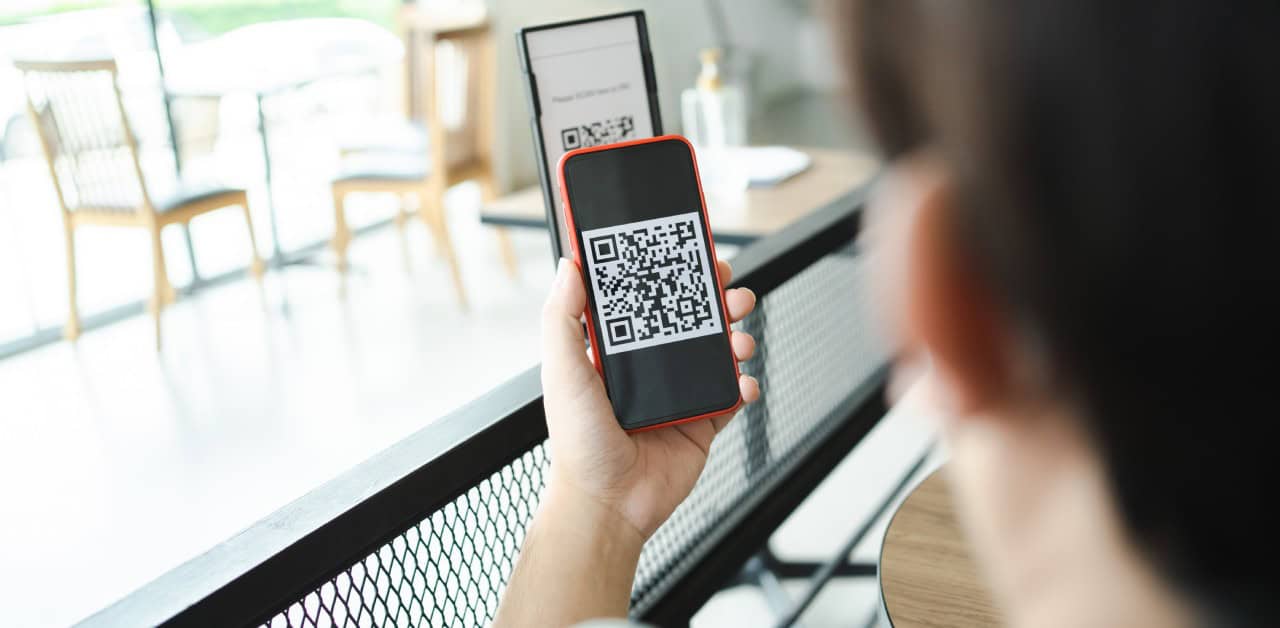
Most people scan codes the way they tap “I Agree” on a 30-page terms of service: reflexively. On current iOS and Android, you open the camera, point it at the code, and a banner appears with a link. Tap, and you’re off — no context, no warning. That flow was designed to be effortless, which is exactly why it’s exploitable.
The safer version adds one step:
- Open the camera (or a scanning app) and let it detect the code.
- Stop. Read the preview, verify the domain, and only then decide to tap — or not.
On many phones you can long-press the preview link to see more detail before opening. You’re looking for the full domain (something.trswarriors.com, not trswarriors-com.secure-qronline.ru). If your default is scan-and-auto-open, change it — some scanner apps and camera settings let you disable automatic redirection or require confirmation every time. That one setting can be the difference between annoyance and identity theft.
A common real-world trap: a “PAY HERE” sign in a parking garage with a QR sticker that leads to a legit-looking payment page on an unfamiliar domain — one that doesn’t match the printed address on the machine because someone layered their own sticker over the original. A two-second URL check catches it.
Insider Tip: Turn off any setting that auto-opens scanned URLs. You want the pause between scanning and visiting — it’s where your brain can still say no.
For families with teens, this fits the same habits you build around online safety. If kids already ask “Do I know who sent this?” before clicking a link, it’s a small leap to “Do I know who put up this QR code?”
Are QR codes safe?
QR codes are no safer or riskier than any other link — but the illusion of safety is what makes them dangerous. Many of us treat email links and pop-ups skeptically, yet a tidy black square taped to a café table feels official, as if someone vetted it before printing. No one did. Anybody with free software can make a code that points anywhere, and a $5 sticker order can make it look as legitimate as corporate signage.
Incident-response teams report a sharp rise in “quishing” (QR phishing). According to reporting from Kaspersky, QR-based campaigns are increasingly used to bypass email filters that catch conventional links — attackers embed QR images in emails or print them on mailers, knowing text-based security tools may not recognize the threat. Humans then do the rest by scanning.
The painful part: using a QR code is often seen as a security upgrade (“No one can mistype the URL now!”). During the pandemic, entire industries pivoted to QR menus and touchless check-ins overnight, and almost no one implemented secure design — signed codes, controlled printing, tamper-evident stickers, or validation that the scanned URL matches the company’s own domain. We swapped one friction (typing a URL) for another (exposure to invisible redirects) and pretended the new system was inherently safer.
Treat QR codes as untrusted until proven otherwise. A code at a hospital isn’t safer than an email in your spam folder just because it’s printed on glossy paper, and a code in an official-looking letter is no different from a link you’d hesitate to click in a surprise message about unpaid tolls. The threat model is identical; only the medium shifted.
How to stay safe when scanning QR codes
Staying safe is less about installing more tools and more about fixing muscle memory. You need three things: a reflex to inspect before you tap, a bias toward mistrust for unfamiliar codes, and a device that’s updated enough to contain damage if something slips through. Like good password habits, the magic is in consistent small behaviors, not heroic one-time decisions.
A typical QR phishing attempt — and how to catch it
Picture scanning a tabletop QR code to view a café menu. The preview shows a shortened link that redirects to a page asking for an account login, on a domain that isn’t the café’s — something like greenleafcafe.menu-offers.com. The smart move is to stop before entering anything, open a dedicated scanner app that previews the full URL, and check the domain. Flag it to the venue so staff can remove the sticker. In cases like this, the malicious domain often turns out to have been registered only days earlier and has already collected hits from other nearby devices.
The takeaways:
- Never enter credentials unless the domain is exactly what you expect.
- Use a scanner app or preview feature to inspect the full URL first.
- Report suspicious codes to the venue so they can replace or remove tampered stickers.
1. Check the URL
If you remember nothing else, remember this: the URL is your reality check. Before tapping any scanned link, read the domain carefully, ignore the logo and branding (attackers copy those), and focus on what comes right before the .com, .org, or .net.
https://login.trswarriors.com/security is very different from https://trswarriors.com.login-security-check.info. The second belongs to login-security-check.info, not TRS Warriors, no matter how many times the page says otherwise. Attackers rely on rush and tiny tricks: doubled letters, added hyphens, foreign characters that look like Latin letters. On a phone screen those are easy to miss unless you slow down. In look-alike-code security tests, more than 40% of employees have typed credentials into a page whose domain swapped just two letters — most said afterward, “I checked that it looked right, but I didn’t really read the whole URL.”
Insider Tip: Read domains right to left. Start at .com or .org and move backward. Everything to the left can be faked or nested; the part right before that dot is what matters most.
Also underrated: compare the scanned URL to any printed or announced URL nearby. If the poster says cityparking.gov but the code sends you to cityparking-payments.com, that mismatch is a huge red flag.
2. Look for signs of tampering
A lot of QR fraud is physical: one sticker over another, or a fake code placed where one should be. Before scanning a code on a meter, menu, poster, or kiosk, inspect it:
- Is the code clearly part of the original print, or a separate sticker?
- Are there overlapping stickers or torn edges?
- Does the code’s styling (color, border, logo) match the rest of the material?
- Do you see glue residue, misalignment, or codes in strange spots?
Attackers have covered legitimate donation posters with their own stickers leading to clone pages — people donate and never suspect a thing until the real totals come in suspiciously low. On close inspection the fakes show slightly off-color stickers, small misalignments, and wrinkled edges — none of which shows up on your phone. This matters most where money changes hands: gas pumps, parking meters, ticket machines, food trucks. If the code looks freshly stuck on, doesn’t align with the instructions, or covers another code, don’t scan it. Ask staff for a direct URL, pay with a card, or use a known app.
3. Don’t scan codes from strangers
We teach kids not to click links from strangers; QR codes deserve the same rule. A code on a flyer shoved into your hand, a random mailbox insert, or a sticker on a pole has zero inherent legitimacy — you don’t know who made it or where it goes. Scammers also exploit social pressure: “Scan to get your free drink,” “Scan to claim your prize,” “Scan to verify your account.” In busy, noisy places your guard is down, and many people are embarrassed to say “I’m not comfortable scanning that.”
Consider a “scholarship application” flyer in a dorm linking to a form that asks for full name, address, Social Security number “for tax purposes,” and bank account “for direct deposit.” It’s tempting to trust because it’s on campus — but it’s just paper and tape. If you wouldn’t click the same offer in a random email, don’t scan the QR version on a random door. Visit the official website manually instead.
4. Don’t scan codes that look suspicious
Not every malicious code looks dirty — some look too polished. If something feels off, honor that feeling. Suspicious signals include:
- Rewards wildly out of proportion (“Win a free iPhone just for scanning!”).
- Codes in places they don’t belong (an “account verification” code on a random social post).
- Urgent language: “Scan now or your account will be closed,” “Final chance — scan to avoid penalty.”
- Codes that are the only way to do something critical, like paying a fine or unlocking an account, especially if they arrived unexpectedly.
This overlaps with the classic scam formula: pressure + urgency + isolation. The QR is just the delivery mechanism.
Insider Tip: Anyone with a printer can make a poster. “If it’s on a poster, it’s probably safe” is exactly the assumption attackers count on — your gut is sometimes your best malware detector.
There’s no penalty for not scanning. You can almost always find the same information by searching for the organization or visiting its home page directly. Any group that punishes you for asking security questions isn’t one to trust with your data.
5. Use a QR code scanner app
Your default camera app works, but it’s bare-bones security-wise. A dedicated scanner app can add a layer of protection: it shows the full URL clearly and may flag known malicious domains, check URLs against reputation services, warn if a code tries to trigger unexpected actions (like sending an SMS or adding a contact), and let you copy the URL instead of opening it directly so you can paste it into a hardened browser.
It’s not magic — scanners can’t catch everything — but think of it like a spam filter for QR links. At events, in business settings, or while traveling, the extra friction is worth it. A security-focused scanner can flag a freshly registered, already-reported domain and stop you from walking into a credential-harvesting trap that a plain camera would open without warning. Download your scanner from official app stores only — the last thing you want is a “security app” that is itself a Trojan horse.
6. Keep your device updated
Keeping your phone and apps updated isn’t glamorous, but it’s non-negotiable. QR codes can lead to malicious websites that exploit browser vulnerabilities, automatic downloads of weaponized files or apps, and attempts to trigger device actions (starting a call, sending SMS, opening deep links into other apps). A current OS and browser block or limit many of these; an out-of-date device is an easy target hit with freely traded exploits. Practically:
- Enable automatic OS and browser updates.
- Use reputable security or anti-malware apps where appropriate.
- Disable risky settings like installing unknown apps from QR-based links.
- Restrict app permissions so a single bad link can’t reach your entire camera roll or contacts.
Attackers aim for the biggest return on the least effort, and an unpatched phone is low effort, high payoff.
What to do if you scan a malicious QR code
At some point you’ll probably scan a code you shouldn’t. The goal isn’t perfection; it’s damage control, and the first few minutes matter most. If the site looks fake or off, the domain is wrong, you’re suddenly asked for passwords or payment details that feel unrelated, or your phone starts behaving strangely (pop-ups, odd downloads, redirects), act immediately:
- Close the tab or app. Don’t click further or tap pop-ups to close them — force quit the browser if needed.
- Don’t enter credentials or payment info. If you already did, assume they’re compromised.
- Clear your browser history and cache. This can break some malicious scripts or persistent sessions.
- Run a security scan with your mobile security app or built-in tools.
- Change passwords for any accounts you may have exposed — email, banking, and critical logins first — and turn on multi-factor authentication.
- Monitor accounts over the following days and weeks for password-reset emails, unfamiliar logins, or charges.
If the code installed an app or file, delete it immediately, then run the scan. Treat any surprise install triggered by a QR code as suspect, even if nothing obvious seems wrong.
For teens and young adults, shame is one of the biggest blockers to reporting — fear of getting in trouble keeps people quiet and buys attackers more time. If a child admits they scanned something sketchy, support rather than scold; the faster they tell someone, the more options you have. If the code came from a workplace, school, or event, report it to their IT or security team. If it involved threats, blackmail, or anything involving minors or extortion, use the appropriate reporting or law-enforcement channels.
Insider Tip: Build a culture where kids know that if they clicked or scanned something weird, they tell an adult no matter how embarrassing it feels. Silence is what predators count on.
More on QR code safety
QR code safety doesn’t live in a vacuum — it’s one pattern in a larger set of digital habits that make you either scam-resistant or scam-prone. The same mental muscles you use against social engineering — skepticism, verification, boundaries — apply everywhere: when someone drops a “scan this to vote” code in a group chat, when a stranger sends a teen a QR code as bait, or when a family member gets a voicemail saying “scan this QR to verify your identity or your account will close.” QR codes are just today’s wrapper for very old tricks: creating urgency, impersonating authority, and pushing you to act before you think.
You win not by memorizing every scam variant, but by adopting a few stubborn habits:
- Never trust what you can’t read. A QR code is unreadable ink until your device decodes it — treat it as hostile by default.
- Always verify the destination. Domains before designs; what’s in the URL matters more than what’s on the page.
- Stay in control of the interaction. Use your own browser, your own app, your own device settings — not whatever the code tries to launch.
- Keep your tech hardened. Updates and basic security tools are boring, but they’re your armor.
You don’t need to stop using QR codes — they’re genuinely useful for boarding passes, authenticator apps, and secure Wi-Fi logins. Just scan with your brain turned on. If a code comes from someone you trust, in a context that makes sense, pointing to a domain you can verify, on a device that’s up to date, it’s a convenient shortcut. Anything less, and it’s a potential ambush wrapped in pixels. Your choice, every time, is whether you tap without thinking or build the tiny moment of skepticism that keeps your money and identity where they belong.
Common Questions
Who is most at risk from malicious QR codes in everyday life? People who habitually scan unverified codes — customers in public spaces, employees handling printed codes, and users with lax device security — are most at risk.
What is the biggest QR code safety risk people overlook today? That codes can hide malicious URLs or actions leading to phishing pages or automatic downloads without the user’s knowledge.
How can I verify a QR code is safe before I scan it on mobile? Before opening the destination, use your camera or a trusted scanner to preview the URL, confirm the domain, and avoid entering credentials on unfamiliar sites.
Can’t I trust QR codes from businesses and posters as safe? Many legitimate sources are fine, but attackers can tamper with posters or spoof business links, so always check the URL and source before proceeding.
What must organizations do to reduce QR code phishing risks? Distribute codes through secure channels, educate staff and customers, test codes before deployment, and monitor for tampering or reported abuse.
How can individuals report or block malicious QR codes they find? Report them to the hosting business, file abuse reports with platform providers, and use security apps to block or remove harmful links.