
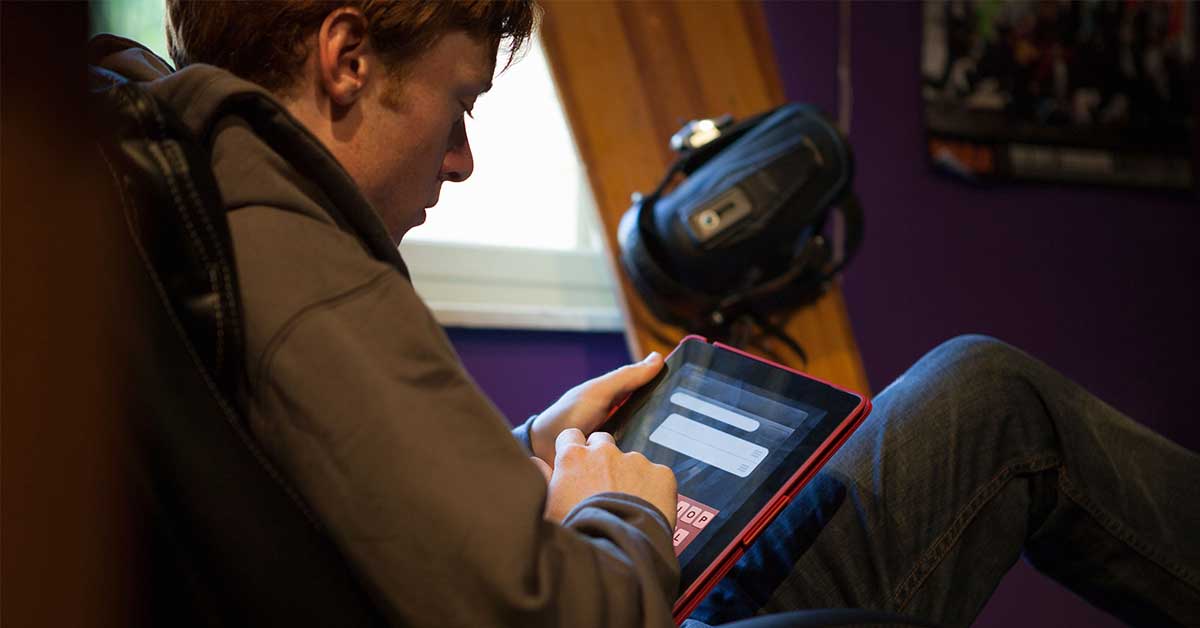
Lets stop pretending all screen time is the same. Handing a child a tablet and calling it educational because it has a blue cartoon owl in the logo is wishful thinking, not parenting. The real divide today isn’t screens vs. no screens; its screen time vs. smart time: teaching kids the difference between passive and active technology use. If we don’t get brutally honest about that difference, were essentially letting tech companies and algorithms raise our kids for us.
I say this as a parent who has absolutely used a tablet as a desperate 20minute babysitter in a waiting room and then watched my child transform into a tiny, furious lawyer when I tried to take it away. The problem wasn’t the device. The problem was how it was used: passive, endless, and designed to hook.
If we want our kids to thrive in a digital world instead of being drained by it, we have to re-frame the entire conversation. Less How many hours? and more What kind of hours? This is where Smart Time comes in and why I now care much more about quality and intent than an arbitrary number on a screen-time timer.
Screen Time vs. Smart Time
Learn how to identify passive screen time versus active “smart time” and practical steps to teach kids the difference. – Smart time is active, goal-driven technology use interactive apps, creative tools, coding and problem-solving while screen time often means passive consumption like videos, social scrolling and background TV. – Smart time boosts learning, critical thinking and creativity; encourage it by picking age-appropriate educational apps, setting clear goals, co-playing and prompting reflection. – Balance by scheduling focused smart-time blocks, limiting passive sessions, modeling healthy tech habits, enforcing device-free routines for sleep/meals, and monitoring content and total daily use.
What is Smart Time?
Smart Time is intentional, active, and growth-oriented technology use. Its the difference between a child staring blankly at autoplay videos for an hour and that same child using a drawing app to storyboard a comic, coding a simple game, or video-chatting grandparents while showing a science project.
When I talk about smart time with parents, I break it down into three questions:
- Is my child actively thinking, creating, or connecting?
- Is there a clear purpose for this screen use?
- Can my child explain what they did in a sentence or two afterward?
If the answer is yes to most of those, you’re probably in smart-time territory.
Screen time, in the usual sense, is passive and default. Its what happens when the TV is just on in the background, when YouTube keeps auto playing, or when a game is designed around endless leveling rather than problem solving. Its not evil it’s just not intentional. And kids adapt frighteningly quickly to low-effort dopamine.
Smart time, by contrast, has at least one of these qualities:
- It builds a skill (reading, math, coding, design, language, music).
- It strengthens relationships (video calls, collaborative worlds, shared projects).
- It encourages critical thinking (puzzles, research, evaluating sources).
- It turns a consumer into a creator, not just a scroller.
According to research from the American Academy of Pediatrics, children who regularly engage in interactive, educational media especially with an adult show better language development and problem-solving skills than peers who primarily engage with fast paced, purely entertainment content. The content type and context matter more than the raw duration.
Passive vs. Active: The Litmus Test
One brutally honest way I test the difference in my own home is this: How does my kid react when I say times up?
- After passive time (endless videos, simple tap games), the transition is rough. Tantrums, one more episode, and that wild eyed but I need to finish this level look.
- After smart time (making a stop motion movie, building in Minecraft with a plan, coding), my kids are far more likely to tell me what they made or learned. They’re proud, not just irritated.
The emotional aftermath is your biggest clue. Passive tech drains. Smart time often energizes.
Insider Tip (Pediatric Psychologist): If your child cant tell you what they did with the screen beyond I watched videos or I played a game, odds are it was mostly passive use, notes one child psychologist I work with in school workshops. Ask them to show you something they created or explain a new concept they encountered.
What is Smart Time?
Lets define this more sharply, because vague educational labels aren’t good enough.
Smart time is active, purposeful, and at least somewhat challenging. It asks your child to do, think, solve, or connect not just absorb.
Concrete examples of Smart Time:
- A 10-year-old using Scratch to code a simple animation, troubleshooting bugs.
- A 7-year-old reading along with an interactive storybook and then retelling the plot.
- A teen researching sources for a history project, checking bias, and cross referencing like we encourage in /digital-literacy-for-students/.
- A middle schooler attending a live online workshop about spotting misinformation, similar to the strategies in /teach-middle-schoolers-spot-misinformation-online/.
- A child designing a digital poster about online kindness and posting it as part of a school digital citizenship project.
Contrast that with clearly Passive Screen Time:
- Autoplay cartoons running for an hour while your child slumps on the couch.
- Fastpaced gaming with no clear goals beyond staying in the loop and collecting rewards.
- Mindless scroll through endless Shorts/Reels/TikToks with no reflection or curation.
- Background TV that neither adult nor child is really watching, but that fragments attention.
In my house, the rule is simple: devices are tools, not toys by default. Tools build something: knowledge, connection, projects. Toys are fine in moderation but if everything becomes toy-first, kids miss the chance to actually leverage the power of tech.
This is a mindset shift for adults, too. If we only treat screens as distractions to keep kids quiet, they’ll learn exactly that: screens = shutoff brain time. If we consistently invite them to use tech to explore, create, and think, were modeling smart time as the norm.
Insider Tip (EdTech Coach): Before you hand over a device, say aloud what its for: Lets use the tablet to research space facts for your poster, not just Here, take this, advises an instructional technology coach I collaborate with. Narrating purpose out loud helps kids distinguish between tool use and zoning out.
The Benefits of Smart Time
The research landscape around kids and screens is noisy and often alarmist, but one thing emerges clearly: not all screen use produces the same outcomes. Several large reviews, including a metaanalysis in Nature Human Behaviour, suggest that moderate, purposeful digital engagement can be neutral or even positive for well being and skills, while unstructured, high volume entertainment use correlates more with sleep issues, inattention, and lower academic performance.
1. Cognitive and Academic Benefits
When kids use screens to solve problems, create, or learn, they’re exercising executive function: planning, working memory, and flexible thinking. For example:
- Students who use coding tools like Scratch or Blockly have been found to show gains in logical reasoning and math performance.
- Interactive reading apps that include vocabulary scaffolds and read aloud features can support early literacy, particularly when a parent co-reads.
In my own experience tutoring, the difference between a child who has used tech to create and one who only consumes is obvious. The creators are more likely to ask How did they make this game? instead of just How do I win? That curiosity spills over into school tasks. They’re the ones who willingly design a slideshow or video essay rather than write the bare minimum paragraph.
This mindset is exactly what we nurture when we move kids from consumer to creator, a shift explored in depth in /consumer-to-creator-digital-literacy-empowers-teen/. Smart time is the training ground for that transformation.
2. Social and Emotional Benefits
Not all online interaction is toxic. Used well, smart time deepens relationships:
- Kids video chatting distant relatives, sharing schoolwork or performances.
- Friends co-building worlds in Minecraft with specific goals and communication.
- Group projects using shared documents or slides, where kids practice collaboration.
During the early pandemic period, I watched my childs online play dates evolve from awkward to genuinely creative. They started building obstacle courses in Roblox with rules they negotiated themselves. Yes, it was a screen, but it also meant compromise, turntaking, and shared laughter.
The key difference? Structure and intention. Openworld games with no goal and endless monetized mechanics tend to encourage impulsive behavior. Cooperative tasks with clear endpoints encourage planning and shared problem solving.
Insider Tip (School Counselor): The issue isn’t kids talking online its when that talking is unmoderated, unstructured, and happening at 1 a.m., a middle school counselor told me at a /event/navigating-social-media-with-students/ workshop. Smart time means boundaries, not just bandwidth.
3. Digital Literacy and Future Readiness
Here’s the uncomfortable truth: kids who never learn to use technology intentionally will be at a disadvantage. The world they’re entering expects them to navigate:
- Online research and source evaluation.
- Algorithmic feeds and misinformation.
- Digital collaboration tools.
- AIpowered platforms in school and work.
Smart time is how they practice digital literacy safely at home, building on the foundational work outlined in /digital-literacy-schools-community-programs/. When your child searches for information, compares sources, or checks whether a viral claim is true, they’re building mental muscles they’ll need for decades.
When I first showed my middle-schooler how to reverse image search a meme to check its origin, their mind was blown and then they started doing it independently. That’s smart time: not just online, but critically online.
How to Make the Most of Smart Time
Smart time doesn’t magically appear because you bought a STEM app. It has to be designed into your family routines. That means you, the parent, make some annoying, deliberate choices up front so your child doesn’t have to fight an army of addictive defaults.
1. Create a Smart Time First Rule
In our home, any day that allows for device use follows a simple order:
- Smart time first (learning, creating, connecting).
- Optional passive time, within limits.
So before games or shows, we choose from a short list of smart options:
- 20 minutes on a reading app or digital library.
- 25 minutes coding in Scratch or another kidfriendly platform.
- Creating a slideshow about something they love (dinosaurs, planets, favorite books).
- Watching a vetted science or history video and then explaining it back in their own words.
This removes the endless negotiation and guilt. My kids know they get both if they start with smart time. Nine times out of ten, once they’re engaged in a project or skill building app, they voluntarily ask to extend that instead of moving to passive time.
Insider Tip (TechSavvy Parent): We have a whiteboard list titled Smart Time Ideas on the fridge, one parent in a workshop shared. Anytime my kid finds a cool app or digital project, it goes on the list. When they ask for the tablet, they pick from that list first.
2. Curate, Don’t Just Restrict
Blanket bans are tempting but short lived. Curation is more work, but far more effective.
Some practical steps:
- Preload devices with high-quality apps, creation tools, and bookmarks. If your child must search endlessly for one decent option among 20 junk apps, guess which they’ll tap?
- Disable auto play where possible. YouTube Kids, streaming services, and many apps let you turn this off. If you don’t, you’re handing the schedule to an algorithm.
- Use profiles and filters so younger kids don’t stumble into content meant for older audiences.
- Bookmark trusted educational platforms and kid friendly research tools, especially for school projects and digital literacy practice.
We also lean heavily into tools that support digital citizenship skills, like those discussed in /digital-citizenship-teens-7-rules-for-being-safe/. Smart time isn’t just about knowledge, but about how that knowledge is pursued safely and respectfully.
3. CoUse Screens Especially for Younger Kids
Co-viewing and co-playing turn screens from solitary escape into shared experience. When my youngest plays an educational game, I sit nearby and ask questions like:
- Why did you pick that answer?
- What happens if you try a different way?
- Can you teach me how this works?
According to research from Harvards Center on the Developing Child, this kind of serve and return interaction child does something, adult responds meaningfully is what actually builds neural connections. The screen is just a prop; the relationship is the engine.
Couse also offers a natural chance to talk about online footprints and reputation. When my older child wanted to post their art online, we read an article together similar to the ideas in /digital-footprints-students-online-legacy-teaching/ and talked about what they’d be comfortable having a future teacher see.
Insider Tip (Digital Literacy Teacher): If you’re sitting with your child, narrate your thinking: I’m not sure if that ad is real; lets click the about page, recommends a digital literacy educator. You’re modeling the internal dialogue you want them to develop.
4. Introduce Creation Before Consumption
Whenever possible, start a session with a creation task:
- Draw a story in a comic app.
- Record a short podcast about their favorite animal.
- Make a simple video explaining a math concept they just learned.
- Build a small world or design a house in a sandbox game with a plan sketched on paper first.
Only after that do we move to more passive choices. Over time, kids begin to see themselves as people who make things, not just people who watch what others make. This is the heart of the consumer to creator shift and echoes the empowerment described in /consumer-to-creator-digital-literacy-empowers-teen/.
The Importance of Balance
Let me be blunt: Smart time is not a free for all excuse to double your kids screen hours. Brains, eyes, and bodies still need offline play, boredom, and sleep non-negotiables that no glowing rectangle can replace.
1. The Body Still Exists
Even when content is excellent, too much sedentary time has real consequences. Studies consistently link high daily screen use with:
- Poorer sleep quality, especially when used in the evening.
- Increased risk of obesity.
- Shortened attention spans, particularly when content is fast paced and fragmented.
So we run our home on three non-negotiables:
- No personal screens in bedrooms at night. Full stop. This is where many families quietly lose the war; late night scrolling or gaming wrecks kid sleep and mood.
- Screenfree meal times. Even if were all exhausted, dinner is device free. Connection beats convenience.
- Movement breaks after long screen sessions. Ten minutes of stretching, playing, or going outside after a 4560 minute session is mandatory.
2. Emotional Health and Social Media
Once we move into the teen years, social media becomes the elephant in the room. Unlike a coding app or a math game, social platforms are explicitly designed to hijack attention and emotion. Smart time here means:
- Limited, scheduled use not door always open.
- Direct teaching about likes, shares, and lies, echoing the core ideas in /like-shares-lies-teaching-teens-think-before-click/.
- Open conversations about comparison, body image, and online drama.
According to multiple longitudinal studies, its not just time on social media that predicts poor mental health its how that time is used: lurking vs. connecting, comparing vs. contributing, nighttime doom scrolling vs. brief check ins.
Insider Tip (Teen Therapist): Ask your teen not just How much are you online? but How do you feel during and after you’re online? suggests a therapist Ive partnered with for parent workshops. Feeling worse 90% of the time is your red flag that something needs to change.
3. Integrating AI and New Tools Wisely
With tools like ChatGPT and other AI systems entering classrooms, smart time now includes learning to work alongside AI, not outsourcing thinking to it. The /parents-guide-chatgpt-ai-tools-school/ resource dives deeply into this, but from a smart time lens, the rule is:
- AI can assist, but not replace, your child’s own thinking.
Using AI to brainstorm essay topics or get feedback on code? Potentially smart time. Copy pasting entire assignments? Passive, dishonest, and ultimately self sabotaging.
More on Screen Time and Kids
No article on screen time vs. smart time: teaching kids the difference between passive and active technology use is complete without acknowledging that this is also an equity issue. Not every family or school has the same access to devices, bandwidth, or quality content.
1. The Digital Divide and What It Means at Home
The digital divide in education isn’t just about whether there’s a device in the house. Its about:
- Speed and reliability of internet access.
- Adult guidance to help kids use tech effectively.
- School support in teaching digital literacy, not just device navigation.
Kids in more resourced schools are often taught how to research, evaluate sources, and use productivity tools. Kids with fewer supports may only encounter tech as entertainment. That means they’re practicing passive use while their peers practice smart use and the gap widens.
As parents and caregivers, we can push back by:
- Using public libraries and community centers for access when home internet is limited.
- Advocating for robust digital literacy programs like those described in /digital-literacy-schools-community-programs/.
- Asking schools how they’re teaching safe, critical online behavior, not just handing out devices.
2. Teaching Kids to Question, Not Just Click
One of the most powerful smart time skills we can teach is healthy skepticism. Every time your child is online, theres an opportunity to practice:
- Spotting misleading headlines.
- Checking who created a website and why.
- Noticing emotional manipulation in like and share posts.
The strategies in /teach-middle-schoolers-spot-misinformation-online/ and /like-shares-lies-teaching-teens-think-before-click/ show exactly how to build these habits. When I started pausing silly viral videos and asking my kids, Do you think this is real? they rolled their eyes at first. Now, they spontaneously say, That’s probably staged, and move on. That’s smart time in action.
Insider Tip (Media Literacy Expert): Teach your kids three default questions: Who made this? What do they want from me? How do they make money? says a media literacy trainer I interviewed. If they cant answer those, they should slow down before clicking or sharing.
3. Community, Not Isolation
Finally, lets remember that you’re not supposed to figure all of this out alone. Smart time gets easier when:
- Parents share app and site recommendations.
- Schools host workshops on digital citizenship and AI tools.
- Community organizations and libraries run classes on online safety, like those described in /digital-citizenship-teens-7-rules-for-being-safe/.
The more consistently kids hear the same messages in homes, schools, and communities the more likely those messages become their internal compass.
Conclusion: Choose Smart Time on Purpose, Not Screen Time by Default
If you remember nothing else, remember this: The question isnt How much screen time is too much? Its What kind of screen time are we normalizing?
Passive, endless, algorithm driven screen time trains kids to be distracted, dependent, and reactive. Smart time active, intentional, and growth oriented trains them to be curious, capable, and in control.
You don’t need to ban every device, buy every educational app, or track every minute like a hawk. You do need to:
- Call out the difference between passive and active use.
- Put smart time first, then limited entertainment.
- Protect sleep, movement, and in-person connection as sacred.
- Treat technology as a tool to build with, not just a toy to disappear into.
As parents and caregivers, we either teach our kids to drive their digital lives or we let the apps drive them. Smart time is how we put their hands back on the steering wheel.
And in a world where screens aren’t going anywhere, that difference isn’t just academic. Its the line between kids who are shaped by their screens and kids who use their screens to shape their world.